
DM First Account Recovery 2026: How to Recover a Lost Account
Last updated: 26 September 2026 | Reading time: 9 minutes
You cannot login. Your password does not work. Maybe you do not even remember which phone number you used. Now you are worried about your balance sitting in there.
Take a breath. Almost every DM First account issue can be fixed. Whether you forgot the password, lost the phone number, or your account was hacked — there is a way out. Let me walk you through each situation.
First Situation: You Forgot Your Password
This is the most common one. And the easiest to fix.
Open the DM First app. On the login screen, look below the password field. You will see the words "Forgot Password?" Tap on them.
Enter your registered mobile number. You will receive a 6-digit OTP. Type it in. Now create a new password. At least 8 characters, with both letters and numbers. Confirm it, and you are back in.
The whole thing takes about a minute. Read our DM First login page for more details on the reset process.
Second Situation: You Lost Your Registered Phone Number
This is trickier. Because the OTP goes to the old number. And you no longer have that number.
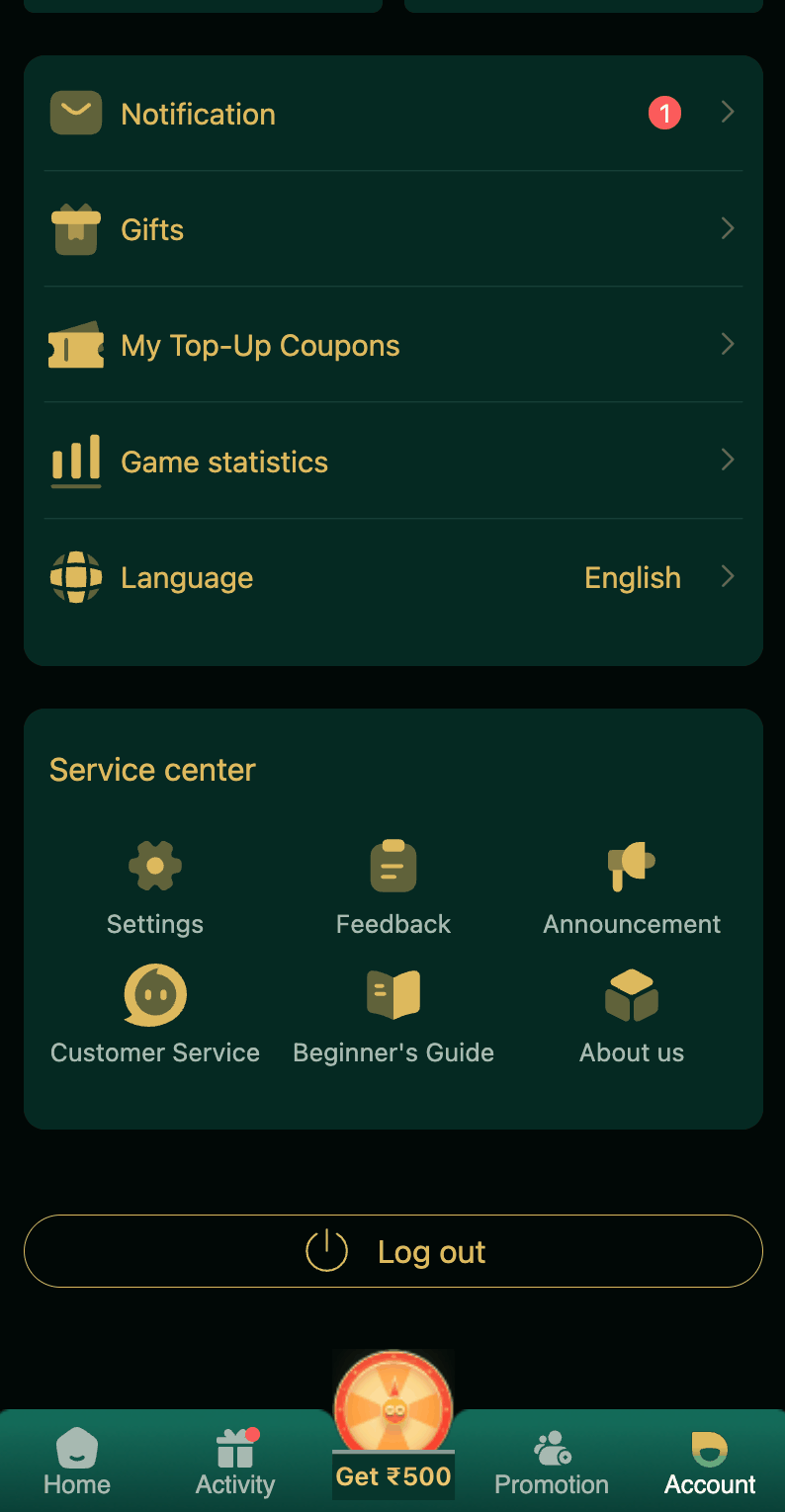
Here is what you do. Open the DM First app or website. Go to the Customer Service section. Or join the official Telegram channel. Tell the support team what happened.
You will need to prove the account is yours. Give them:
Your UID. This is found in the Account section of the app. If you cannot access the app, check any old emails or screenshots. The UID looks like a 6 to 8 digit number.
Your old phone number. Even though you do not have it anymore, tell them what it was.
Any past transaction IDs. If you have deposited or withdrawn money before, the transaction IDs prove you owned the account.
Any screenshots. If you have screenshots of your wallet balance or game history, send those.
Once support verifies your identity, they will help you update the phone number on the account. Then you can reset the password normally.
This process usually takes 2 to 7 days. It is slower than a normal reset. But it is the safest way to protect your account from being stolen by someone else.
Third Situation: Your Account Was Hacked
You wake up and find that your balance is gone. Or someone has changed your password. Or you are logged out and cannot login back.
Act fast. Every minute matters.
Step 1: Try Forgot Password immediately. If you can still get the OTP on your phone number, reset the password. This locks the hacker out.
Step 2: Change your password to something completely new. Do not reuse an old password.
Step 3: Check your transaction history. Look for unauthorized deposits or withdrawals. Note the exact times and amounts.
Step 4: Contact DM First support. Open the app. Tap Account. Tap Customer Service. Explain what happened. Provide your UID and the suspicious transactions.
Step 5: Change your password on every other app. If you used the same password on DM First as somewhere else, change it everywhere. Especially your email and bank apps.
Step 6: Report to your bank if money was withdrawn without your permission. Even though DM First cannot reverse a withdrawal, your bank might help.
Fourth Situation: Account Locked or Suspended
Sometimes DM First suspends accounts. Common reasons:
Multiple accounts under one name. Trying to claim welcome bonuses from more than one account. Suspicious activity that triggered a security flag. Or a payment chargeback that was not resolved.
If you believe the suspension is a mistake, contact support. Explain the situation clearly. Provide your UID. Be honest. If the account was suspended for a real reason, arguing will not help. If it was a mistake, the team will fix it.
Suspensions for fraud or multiple accounts are usually permanent. There is no way to recover those.
New to DM First?
Register with invite code 94955187072 and get ₹120+ welcome bonus. Follow our safety steps from day one.
Register with Invite CodeHow to Prevent This From Happening Again
Recovery is painful. Prevention is easy.
Write down your UID somewhere safe. Not just in the app. If the app locks you out, you still have the number.
Keep the registered phone number active. Do not let it expire. If you change numbers, update it in DM First before the old one is deactivated.
Use a strong unique password. Not your birthdate. Not your name. Not the same password you use elsewhere. Something like Dmfirst@2026#Safe — long, mixed, hard to guess.
Turn on notifications for login activity. If someone logs into your account from a new device, you will notice.
Check your account weekly. Open the Transaction section. Look for anything suspicious. Report problems immediately.
Never share OTP with anyone. Not with customer support. Not with someone calling from "DM First." Not with anyone. DM First staff never ask for OTP.
Read our DM First account security page for a complete safety checklist.
What Information Should You Always Have Ready
If you ever need to contact support for account recovery, having these ready speeds up the process a lot.
| Information | Where to Find It |
|---|---|
| UID | Account section in the app |
| Registered phone number | Whatever you used during registration |
| Last login date | Account settings |
| Transaction IDs | Transaction history |
| Screenshots | Saved on your phone |
Frequently Asked Questions
1. How do I recover my DM First account?
If you forgot the password, use Forgot Password. If the account was hacked, change the password immediately and contact support.
2. What if I lost my registered phone number?
Contact support with your UID and previous transaction details. They will verify your identity and help update the number.
3. Can I recover a banned account?
Only if the ban was a mistake. Contact support with details. Fraud or multi-account bans are usually permanent.
4. How long does recovery take?
Password reset is instant. Recovery through support takes 2 to 7 days.
5. What information do I need?
UID, phone number, transaction IDs, and screenshots.
6. Can DM First staff see my password?
No. Even they cannot see it. If someone claims they can, it is a scam.
7. How do I prevent hacking?
Strong unique password. Never share OTP. Check account weekly. Read our account security page.
8. Can I open a new account if I cannot recover the old one?
Yes, but you will lose the old balance and history. Only do this if all recovery attempts fail. Read our DM First register page.
Last Words
Account recovery is not fun. But it is fixable in most cases. Forgot the password? Instant. Lost the phone number? Support can help in a few days. Hacked? Act fast and change everything.
The best recovery is prevention. Write down your UID. Keep your registered number active. Use a strong unique password. Never share OTP. Check your account weekly.
Do these things and you will probably never need this page again.
Play Safe from Day One
Register with code 94955187072 and follow our safety tips.
Register with Invite Code