
DM First Deposit Not Credited 2026: Why and How to Fix It
Last updated: 27 September 2026 | Reading time: 9 minutes
You sent money. UPI app showed the success screen. But your DM First wallet is still showing zero.
This is one of the most common complaints about DM First. And the good news is — in most cases, your money is not lost. It comes back. Or it gets credited after a short delay.
Let me explain every reason this happens and what to do for each one.
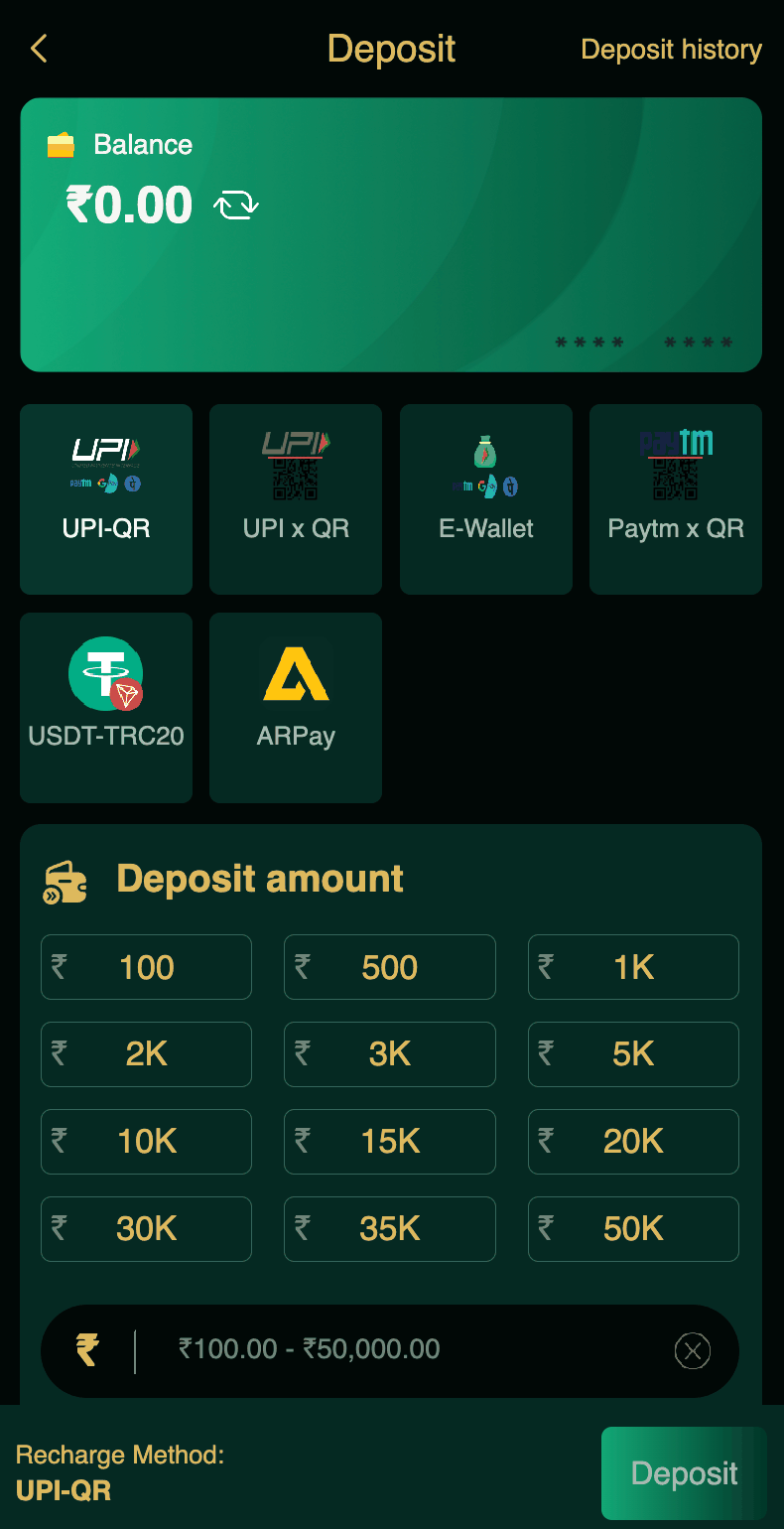
First, Do This Before Panicking
Wait 15 minutes. Then open the DM First app and pull down to refresh the home screen. Sometimes the wallet balance does not update automatically.
Also check your DM First transaction history. Tap Account, then Transaction. If the deposit shows there but the wallet does not, it is a display bug. It will fix itself in a few minutes.
Also check your bank statement. Did the money actually leave your account? Sometimes the UPI app shows success but the bank rejects the transaction. In that case, the money never went anywhere.
If after 15 minutes the wallet is still empty and the transaction history shows nothing, then you have a real deposit issue. Keep reading.
Reason 1: Amount Mismatch
This is the number one reason DM First deposits fail.
When you start a deposit, DM First shows an exact amount. Say ₹500. This is not a suggestion. It is a requirement. If you send ₹501, ₹499, ₹500.50, or anything else, the system cannot match your payment to the order.
What happens next: Your money arrives at the payment gateway but cannot be matched. The system flags it. Within 24 hours, the money is refunded to your UPI. Not credited to DM First. Refunded.
How to avoid it: Always send the exact amount. If the app says ₹500, send ₹500. Nothing else.
What to do now: Wait 24 hours. Check your UPI app for a refund. If it does not come, contact support with the transaction ID. Read our DM First customer support page.
Reason 2: Deposit Form Expired
Every deposit form has a timer. Usually 5 to 15 minutes. If you do not complete the payment within that time, the form expires.
If you send money after the form expires, the payment does not match any active order. The system cannot credit it. Same result as amount mismatch — money gets refunded within 24 hours.
How to avoid it: Complete the payment quickly. Do not open the deposit form and then take a break to do something else. Finish the transaction in one sitting.
What to do now: Same as amount mismatch. Wait 24 hours for the refund.
Reason 3: Payment Gateway Delay
Sometimes the payment gateway is slow. Your UPI app shows success, but the DM First system has not received the confirmation from the gateway yet.
This usually resolves on its own within 15 to 30 minutes. Your money will credit to your DM First wallet automatically.
How to check: Wait 30 minutes. Refresh the app. If the deposit shows in transaction history, the wallet will update shortly. If not, contact support.
Reason 4: Wrong UPI ID
You sent money to a UPI ID that was not the one DM First showed. Maybe you copied the wrong ID from an old screenshot. Or you typed it manually and made a typo.
What happens next: The money went to whoever owns that UPI ID. If it was a valid ID, the money is gone. DM First cannot recover it.
How to avoid it: Always use the QR code. Do not copy UPI IDs manually. The QR automatically fills the correct details.
What to do now: Contact DM First support immediately. Also contact your bank. Sometimes a wrong transfer can be reversed if the recipient cooperates. This is rare but possible. Read our DM First payment methods page for safe practices.
Reason 5: UPI App Glitch
Sometimes the UPI app shows the payment as successful but the transaction actually failed. Your bank might not have debited the money at all.
How to check: Open your bank statement or UPI app history. If the money did not leave your account, the payment never went through. You can start a new deposit.
If the money did leave your account, then this is a real deposit failure. Contact support.
New to DM First?
Register with invite code 94955187072 and get ₹120+ welcome bonus. Read our DM First deposit page for the safe deposit process.
Register with Invite CodeReason 6: Bank Server Down
Sometimes the issue is on the bank side. The UPI app shows success, but the bank has not processed the transaction yet. This happens during peak hours or when the bank is doing maintenance.
What happens next: The transaction may be reversed automatically within 24 to 48 hours. Or it may complete eventually. Either way, you will get your money back — either as a refund or as a credited deposit.
Reason 7: Multiple Deposits at Same Time
Some players start one deposit form, then start another, then pay both. The system gets confused. Two orders, two payments, mixed up.
How to avoid it: Never start two deposit forms at the same time. Complete one fully. Wait for the credit. Then start another.
Step-by-Step: What to Do If Deposit Not Credited
| Step | Action |
|---|---|
| 1 | Wait 15 minutes. Refresh the app. |
| 2 | Check your DM First Transaction history. |
| 3 | Check your bank statement. Did money leave? |
| 4 | Screenshot the transaction with the ID. |
| 5 | Contact DM First support with the ID and screenshot. |
| 6 | If no response in 24 hours, contact bank too. |
What to Send to DM First Support
When you contact support, send these details. The more information, the faster they can help.
Your DM First UID. Found in the Account section. Read our DM First account settings page to find it.
The exact amount you sent. In rupees.
The UPI transaction ID. This is a 12-digit number in your UPI app. Look under "Payment History."
The date and time of the transaction.
A screenshot of the payment confirmation from your UPI app.
A screenshot of the deposit failure or pending status from DM First.
How to Prevent This in the Future
Match the amount exactly. Always.
Complete payment within the timer.
Use the QR code, not the UPI ID.
Complete one deposit at a time.
Keep every transaction ID. Even if the deposit works. Screenshots are free.
Read our DM First payment methods page for the safest deposit method for you.
Will My Money Be Lost?
No. In 95% of deposit failure cases, the money comes back. Either as a refund to your UPI or as a credited deposit in your DM First wallet.
The only time money is truly lost is when you send it to a wrong UPI ID that belongs to a random person. Even then, contacting your bank can sometimes help.
DM First does not steal deposits. It is a big platform with millions of users. Their system handles thousands of deposits per hour. Occasionally one fails. Every failed deposit is tracked and refunded.
Frequently Asked Questions
1. Why is my DM First deposit not credited?
Amount mismatch, expired form, wrong UPI ID, or slow gateway. Wait 15 minutes first.
2. What if I deposited the wrong amount?
Refunded within 24 hours. Contact support if longer.
3. How long before contacting support?
15 minutes after payment. Send transaction ID and screenshot.
4. Will I lose my money?
No. Failed deposits refund within 24 hours.
5. What if I sent to wrong UPI ID?
Contact DM First support and your bank immediately.
6. Which deposit method is safest?
UPI-QR via QR code. Read our DM First payment methods page.
7. Why do deposits fail so often?
Mostly amount mismatch. Match the exact amount and deposits will not fail.
8. Can I deposit at night?
Yes. Deposits work 24x7. But bank server issues are more common during late night maintenance.
Final Words
Deposit failures are stressful. But the fix is usually simple. Wait 15 minutes. Check transaction history. Contact support with proper details.
In 24 hours, you will either have the money credited or refunded. Very rarely anything else happens.
To avoid this in the future: match amounts exactly, use the QR code, complete quickly, and keep your transaction IDs.
Deposit Safely Next Time
Register with code 94955187072 and follow our DM First deposit guide for smooth transactions.
Register with Invite Code